



Relaxing Puzzle Game with Daily Challenges
Overview
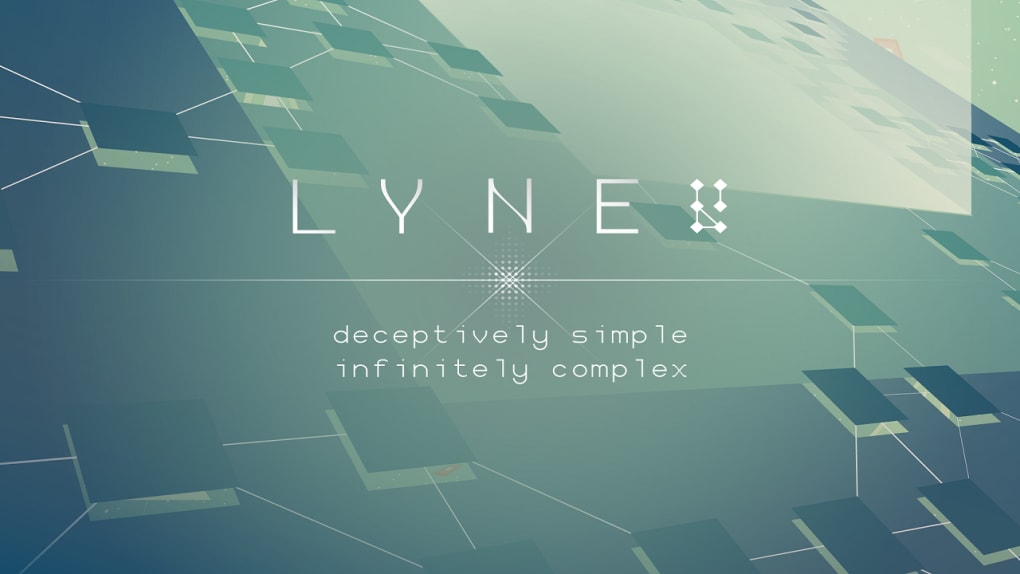
LYNE is a minimalist puzzle game designed to promote relaxation and mental clarity through simple, shape-based challenges. The core objective is to connect all shapes on the board in a way that fills the entire grid, creating a sense of completion and calm. Developed with mindfulness in mind, the game offers a soothing experience without the pressure of high scores or time limits.
Its daily puzzle generation ensures a fresh challenge each time, providing variety without repetition. While the developer did not provide additional background information, the game’s design philosophy emphasizes simplicity, tranquility, and uninterrupted play. Ideal for users seeking a mental break during work, study, or downtime, LYNE serves as a digital mindfulness tool.
It’s particularly well-suited for casual players, those interested in stress reduction, or anyone looking for a short, screen-based respite. The absence of ads and in-app purchases enhances the peaceful experience, allowing users to focus solely on the gameplay without interruptions.
Key Features & Capabilities
- Daily Auto-Generated Puzzles – Each day presents a new, randomly generated puzzle, ensuring no two sessions are identical. This feature encourages consistent engagement without repetition.
- Minimalist Shape-Based Gameplay – Players connect shapes using lines that must fill the entire board without overlapping or leaving gaps. The simplicity of the mechanic reduces cognitive load and supports a meditative state.
- Relaxing Audio Environment – Subtle, ambient sound effects accompany gameplay, enhancing the calming atmosphere and helping users unwind.
- Ad-Free & No In-App Purchases – The game maintains a clean, uninterrupted experience by excluding advertisements and monetization through purchases.
- Cross-Platform Availability – Designed for both Windows and Mac, enabling seamless access across desktop environments.
These features combine to create a low-stakes, contemplative experience. For example, a user might play a single session during a coffee break to reset their focus, or use it as a nightly ritual to decompress after work. The lack of competition or progression systems makes it ideal for users who value peace over performance. The consistent daily reset also supports routine-based engagement, turning the game into a gentle habit rather than a time-consuming activity.
User Interface, Workflow & Performance
LYNE features a clean, uncluttered interface centered around a grid-based board with geometric shapes. Navigation is intuitive, relying on simple mouse clicks to draw lines between connected shapes. The workflow is streamlined: select a shape, draw a line, and continue until the board is complete.
There are no menus or settings to navigate, which contributes to the game’s calming nature. The developer did not specify resource usage details, but based on its 50 MB file size and minimalist design, it likely operates efficiently on most modern systems. Performance observations are based on general software behavior patterns.
The game appears stable during typical use, with no reported crashes or freezes. CPU and RAM behavior are not documented, but the lightweight nature of the application suggests minimal impact on system performance. The experience remains smooth and responsive, supporting the game’s goal of providing a distraction-free environment.
Compatibility & System Requirements
LYNE is available for both Windows and Mac operating systems, offering broad desktop accessibility. The software version is 1.0, with a file size of 50 MB, indicating a compact and lightweight application. Exact system requirements were not listed, so users should ensure their devices meet standard desktop software compatibility standards.
The developer did not provide additional hardware specifications, such as minimum processor speed or RAM. Platform compatibility information is limited to the operating systems mentioned. Installation is expected to be straightforward, given the small file size and lack of complex dependencies.
Users should verify that their system supports the latest updates for their OS to ensure optimal performance.
Pros and Cons
Pros
- Minimalist design promotes focus and relaxation
- Daily auto-generated puzzles ensure variety
- Ad-free experience with no in-app purchases
- Lightweight at just 50 MB
- Available on both Windows and Mac
Cons
- No visible progress tracking or achievement system
- Limited customization options for visuals or audio
- Exact system requirements were not specified
- Gameplay may feel too simple for experienced puzzle enthusiasts
- No offline mode details provided
FAQ Section
Is LYNE available for both Windows and Mac?
Yes, LYNE is compatible with both Windows and Mac operating systems.
Is LYNE free to download and use?
Yes, LYNE is available at no cost, with no ads or in-app purchases.
Are puzzles in LYNE randomly generated?
Yes, each day features a new, auto-generated puzzle, ensuring a unique experience daily.
Does LYNE require an internet connection?
The game’s daily puzzle generation may require an internet connection, but offline usage details were not specified.
What type of license does LYNE use?
LYNE is distributed as a free desktop application, though the specific license type was not disclosed.
Final Thoughts
LYNE stands out as a refreshingly simple puzzle game that prioritizes mental well-being over engagement metrics. Its daily challenges, soothing audio, and ad-free design make it an ideal tool for mindfulness and stress relief. While it may lack depth for hardcore puzzle fans, its minimalist approach appeals to users seeking a calm, uninterrupted digital experience.
The game’s lightweight footprint and cross-platform availability enhance its accessibility. For those looking to clear their mind with a gentle, daily ritual, LYNE delivers a consistent and peaceful experience. It’s not about winning—it’s about unwinding.
Download LYNE now







